NWI Times
Lee EnterprisesNews & Magazines
3.6274.00 Reviews
- Version
- 9.22
- Installs
- 10.00K
- Age Rating
- Everyone
Screenshots

Our Review of NWI Times
 Analysis by Appyee
Local news apps are easy to install and surprisingly difficult to keep useful. The first few days can feel fresh because every headline is close to home, but the real question is whether the app still earns a place on your phone after the initial curiosity fades. I spent time with NWI Times with that question in mind, looking beyond the promise of continuously updated local reporting and focusing on everyday usefulness, reading habits, interruptions, and the points where a reader may decide to return or move on.
This is a free news and magazine app from Lee Enterprises, aimed at people who want news connected to Northwest Indiana rather than a broad national feed. It is rated for Everyone, runs on Android 8.0 or later, and its current version is 9.22. The app has an average rating of 3.6 from over 600 ratings, with more than 200 written reviews, and it has passed 10,000 installs. Those figures suggest a real but fairly focused audience: this is not trying to be an all-purpose news platform for everyone.
What makes the first week appealing
The strongest early appeal is simple: NWI Times puts local stories in front of me without requiring me to search through a national news service. That focus matters when I want to know what is happening in nearby communities, follow a local development, or understand an issue that would barely register in a larger publication. A general news app may offer more variety, but it often makes local coverage feel like a small section buried beneath national politics, entertainment, and international events.
During a typical morning, I can open the app with a specific purpose rather than wandering through an endless feed. I might check the latest local headlines while drinking coffee, scan for a story affecting travel or public services, and leave once I know what deserves more attention. That short-session design is one of the app’s practical strengths. It does not need to replace every other source on my phone to be worthwhile; it only needs to make local checking easier.
The continually updating approach also gives the app a different rhythm from a printed newspaper or a once-a-day email digest. When something develops during the day, a dedicated local app feels more appropriate than waiting for a fixed edition. I found that especially useful when I wanted context around an event close to home rather than a polished national summary that might mention the area only in passing.
Still, the first-week experience depends heavily on what kind of reader you are. If your main interest is national news, technology, sports from outside the region, or a broad mixture of topics, the focused coverage can feel narrow almost immediately. I would not install this expecting a complete replacement for a general news reader. Its appeal comes from local relevance, and that also defines its limits.
One useful habit is to treat the app as a first stop, not necessarily the final word on every story. I can use it to notice what matters locally, then compare an important issue with official announcements or another reliable source before acting on it. That workflow avoids a common mistake with news apps: confusing convenient access with a complete picture.
Who benefits most from the focused coverage
NWI Times makes the most sense for residents, commuters, families, and former residents who still care about Northwest Indiana. It can also suit someone who has recently moved to the area and wants a regular way to learn which local issues are shaping daily life. For those readers, the app’s narrow focus is not a weakness; it is the reason to keep it installed.
I can also see value for people who do not want social media to be their main local-news filter. Social platforms may surface a story quickly, but they mix reporting with reactions, rumors, reposts, and unrelated recommendations. A dedicated news app offers a more intentional reading routine. I open it because I want news, rather than being pulled into a general-purpose feed and hoping a useful local item appears.
On the other hand, readers who already receive all the local information they need through a trusted newspaper subscription, local radio, television, newsletters, or community channels may find the extra app unnecessary. Installing another source only makes sense if it improves speed, convenience, or coverage enough to change your routine.
What changes after the novelty fades
The first-week question is “What is new?” The month-to-month question is “Why should I keep checking?” For me, the answer depends on whether local news has a regular place in my day. The app has recurring value when I use it around real decisions: planning a commute, following a public issue, checking a developing event, or staying connected to a community I no longer visit every day.
That value is less obvious when my reading is purely habitual. Opening a local app without a reason can produce a quick scan and little else, especially on quiet days or when the available stories do not match my interests. This is where many news apps lose their place. The content may be useful, but usefulness is not the same as a compelling daily ritual.
I recommend creating a specific check-in rather than leaving the app to compete with every notification on the phone. A morning review works for some people; an evening catch-up works better for others. The important point is to connect it to an existing routine. If I open it only when I remember, it becomes easy to forget. If I check it before leaving for work or after dinner, it has a clearer job.
Another practical approach is to decide what “enough” reading means. I do not need to read every item to get value from the app. A quick headline scan followed by one or two relevant stories may be more sustainable than trying to consume the entire feed. That keeps local awareness from turning into another obligation and makes the app easier to maintain over time.
Long-term use, friction, and the reasons fatigue appears
I look at long-term use as a balance between staying informed and protecting attention. A useful next step is to decide what would make a local update worth interrupting your day, rather than treating every new item as equally urgent. That personal threshold matters even more when a community story continues to develop over several days.
The maintenance burden is modest, but real
Keeping a news app useful involves more than installing it. I need to decide whether notifications deserve my attention, whether the app belongs on the first screen, and whether I am still using it for a clear reason. Those choices are particularly important here because local news can be valuable at one moment and quiet at another. If every alert feels urgent, the habit becomes tiring; if I silence everything and never open the app, the installation becomes decorative.
The app itself is free to download, but in-app purchases range from $26.99 to $324.99 per item. That is an important part of the long-term decision because a free installation does not automatically mean every reading path has no financial commitment. I would pay close attention to any purchase screen and decide in advance whether I am looking for occasional access or a deeper paid relationship with the publication.
This does not make the app unsuitable, but it changes how I evaluate it. A reader who only wants quick local headlines may approach it differently from someone who expects extensive access to the publication’s full offering. Before committing money, I would use the free experience long enough to determine whether the coverage repeatedly answers questions I actually have. The best subscription decision is based on a sustained habit, not on one unusually interesting story.
Updates are another part of maintenance. The app’s current version is 9.22, and it supports Android 8.0 and later, so compatibility should be straightforward for many Android users. I still recommend checking that an older phone has enough room and that the operating system is supported before treating the app as a permanent news tool. A local source is only useful if it remains easy to open when I need it.
Where reading fatigue can build
Local focus can become repetitive when the same issue dominates coverage for several days. That is not necessarily a flaw in the reporting; important local events naturally develop in stages. But from a reader’s perspective, repeated updates can make the feed feel less rewarding. I found it helpful to distinguish between a genuinely new development and a story that simply remains prominent.
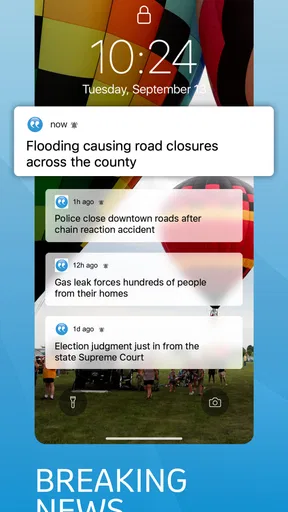
Notification fatigue is another risk. News is designed to interrupt, yet not every local update deserves immediate attention. I prefer to reserve alerts for situations where speed matters and use deliberate opening for everything else. If the notification stream starts controlling my day, the app has stopped serving my routine. In that case, reducing interruptions can preserve the app’s usefulness better than uninstalling it immediately.
There is also a trade-off between convenience and depth. A mobile app is excellent for quick awareness, but a phone screen is not always the best place for long, complicated reporting. When a story affects my decisions or requires careful understanding, I slow down and read it properly rather than relying on a headline. If the app becomes only a headline dispenser, its value drops; if I use it as a gateway to stories worth understanding, it has a stronger long-term role.
Readers should also be realistic about the emotional effect of constant local updates. Because the stories are close to home, they can feel more personal than national news. That closeness is useful when I need awareness, but exhausting when every opening brings another troubling event. A sustainable routine may mean checking once or twice a day instead of reacting to every update.
How it compares with familiar alternatives
Compared with a national news app, NWI Times offers a much sharper local identity. National services win on breadth, personalization, and the sheer number of subjects available. They are better when I want one place for world events, business, culture, and national politics. NWI Times is better when the question begins with “What is happening near me?”
Compared with social media, the app is more purposeful. Social feeds are faster at spreading conversation and eyewitness material, but they also demand more judgment about reliability and relevance. NWI Times gives me a cleaner starting point for local reporting, while social platforms may add reactions and community discussion that the app does not replace.
Compared with television or radio, the app fits short, self-directed sessions. Broadcast sources can provide useful explanation and a sense of a scheduled local news routine, but they require me to be available at the right time or accept someone else’s order of stories. I can check the app when my schedule allows. That flexibility is valuable for commuters and people whose workday does not line up with broadcasts.
Compared with a browser shortcut to a news site, a dedicated app can feel more immediate, but the difference is not automatically decisive. If I already have a smooth mobile browsing routine and rarely need alerts, a shortcut may be enough. The app earns its space when its focused access makes local checking noticeably easier than opening a browser, searching, and sorting through unrelated pages.
Practical routines that improve its staying power
My preferred routine is a two-stage check. First, I scan the local headlines quickly to identify anything that could affect my day. Second, I return later only to the stories that deserve attention. This prevents the app from becoming a constant stream of interruptions and gives each session a clear purpose.
A second useful habit is to connect reading to location changes. If I am traveling away from the area, I may not need the same frequency of checks. When I return, the app becomes more valuable again because it helps me catch up on what changed. That flexible use is better than forcing a daily streak that has no connection to my life.
I also recommend deciding how you will handle paid access before a purchase appears. The app is free to start, but the listed in-app purchase range makes it sensible to pause and consider the recurring value. Ask yourself whether you have used the coverage consistently, whether the local focus fills a gap in your current news routine, and whether you would still value it during a quieter news period.
Finally, keep the app in a deliberate place on your phone. If local awareness is important, put it near the tools you already check each morning. If it is only an occasional source, placing it away from the main screen may be better because it prevents unnecessary checking while keeping access available when a local question comes up.
My long-term verdict
I think NWI Times can earn lasting space on the phone of someone who genuinely needs Northwest Indiana coverage. Its strength is not novelty, visual distraction, or endless variety. Its strength is being a focused local-news doorway that I can use for quick awareness and return to when a nearby story develops.
I would skip it if I wanted a broad national news replacement, if my existing local sources already cover the same needs, or if I dislike building a deliberate reading routine. The app is also a poor fit for anyone who expects every visit to deliver a large range of subjects. Local relevance is its advantage, but it naturally narrows the experience.
The 3.6 average rating shows a mixed reception rather than universal enthusiasm, and my own view is similarly measured. I appreciate the clear local purpose, the free starting point, and the way it fits short check-ins. I also recognize the potential for notification fatigue, repetitive coverage, and uncertainty about whether paid access will be worthwhile for an occasional reader.
My recommendation is to install it with a specific job in mind: morning local awareness, following a community issue, or staying connected to Northwest Indiana from a distance. Give the habit enough time to prove itself, then judge the app by how often it helps you make a better decision or understand your surroundings. If it repeatedly answers local questions that broader apps leave unanswered, it has earned a permanent place; if it only fills idle minutes, it probably has not.
Verdict
Strengths of NWI Times
- Clear coverage of Northwest Indiana local news and community events.
- Fast access to breaking stories through timely app updates.
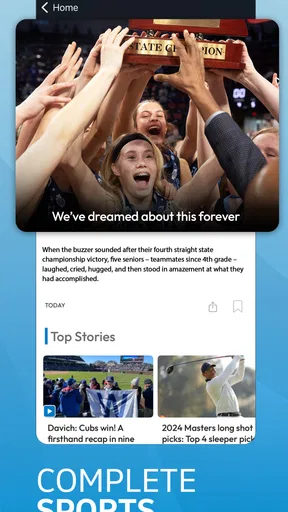
- Useful sections for local sports, business, weather, and opinion.
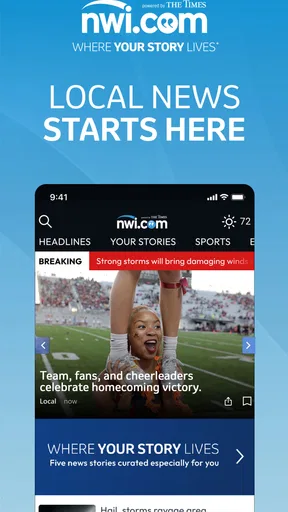
- Clean layout makes browsing headlines and articles straightforward.
- Helps residents stay informed about nearby towns and regional issues.
Limitations of NWI Times
- Coverage is highly regional and may feel limited outside Northwest Indiana.
- Some articles or features may require a digital subscription.
- Advertising can interrupt reading and reduce the available screen space.
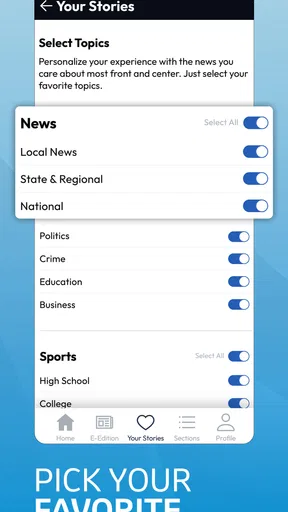
- Push notifications may become frequent if many news categories are enabled.
- Content quality and update speed can vary between sections and stories.
Similar Picks in This Category
View All
Google News - Daily Headlines
Google LLC4.0

X
X Corp.4.8

Flipboard:Your Social Magazine
Flipboard3.4

Opera News: breaking & local
Opera4.5

Hindi News by Dainik Bhaskar
Dainik Bhaskar Group4.0

Way2News Daily News App
Way2News ( Formerly Way2SMS )4.6
Frequently Asked Questions
What is NWI Times?
NWI Times is a news and information app focused on Northwest Indiana. It provides access to local reporting, breaking news, community updates, sports, business, entertainment, opinion, and other regional coverage. The app is designed for readers who want to follow developments in areas such as Lake, Porter, LaPorte, and surrounding communities from a mobile device.
Is NWI Times free to download and use?
The NWI Times app can generally be downloaded at no cost, allowing users to explore the application and read available content. However, some articles, premium features, or unlimited access may require a subscription or account, depending on the publisher’s current policy. Before subscribing, review the pricing, renewal terms, and access included with the selected plan.
What type of news can I read in the NWI Times app?
The app covers a broad selection of Northwest Indiana news, including local government, crime, education, transportation, weather-related developments, community events, sports, business, and lifestyle stories. Coverage is especially useful for residents and former residents who want regional information that may not receive much attention from national news applications.
Does NWI Times send breaking-news notifications?
NWI Times may offer push notifications for breaking news, important local developments, and other selected updates. Notification availability and categories can vary by app version, device, and account settings. After installation, check the notification preferences so you can choose whether to receive alerts immediately or limit them to the topics and stories most relevant to you.
What should I check before downloading NWI Times?
Before downloading NWI Times, check that your Android or iOS device meets the application’s current operating-system requirements and that enough storage is available. You should also review the requested permissions, privacy information, subscription conditions, and recent user feedback. If you mainly want unrestricted article access, confirm whether a paid membership is required for the content you plan to read.
